RenoHouse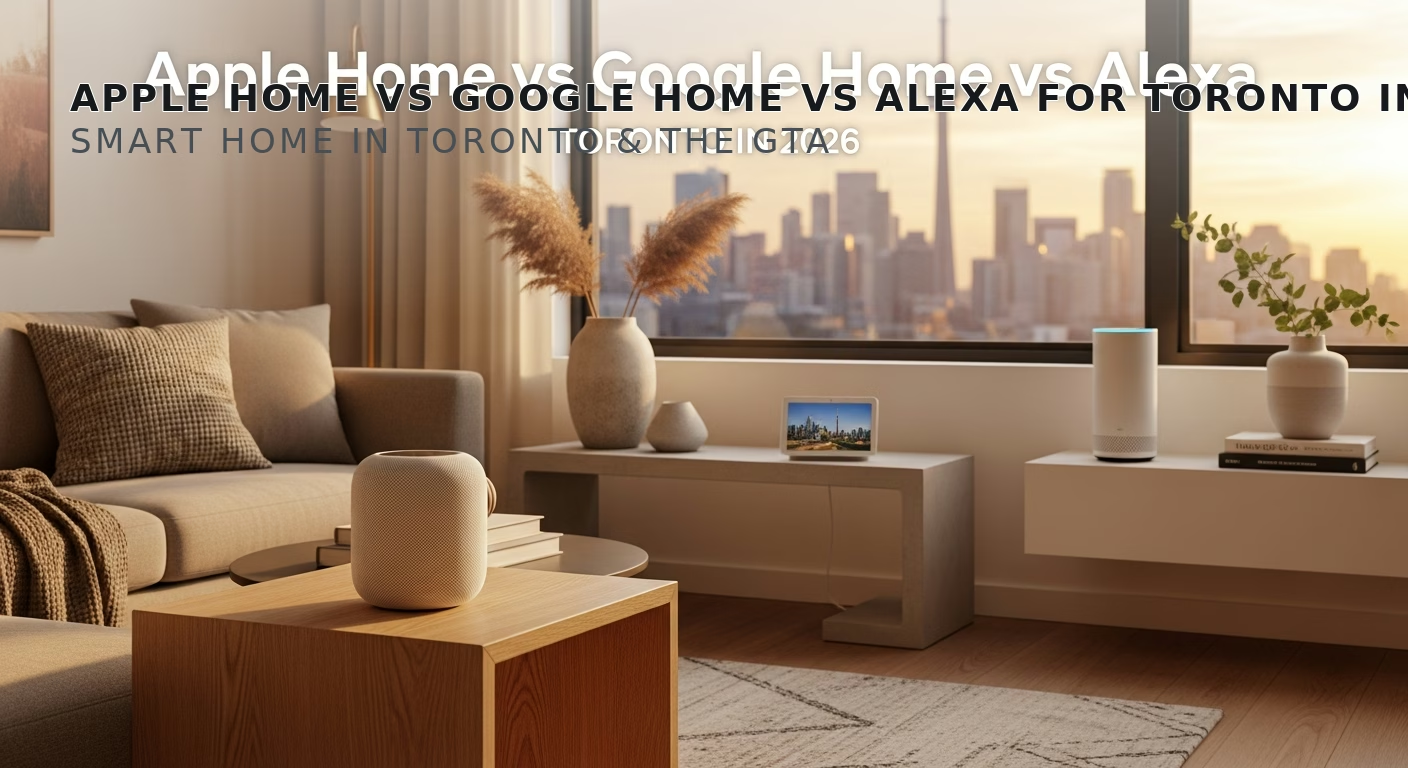

# Apple Home vs Google Home vs Alexa for Toronto in 2026
Quick answer. The "which voice assistant should I commit to?" decision is the single most important smart home choice you will make. It determines which devices play well together, which apps you live in daily, and how much privacy you sacrifice for convenience.The "which voice assistant should I commit to?" decision is the single most important smart home choice you will make. It determines which devices play well together, which apps you live in daily, and how much privacy you sacrifice for convenience. In 2026, the gap between the three major ecosystems has narrowed thanks to Matter, but they are still meaningfully different products with different strengths. This guide compares Apple Home, Google Home, and Amazon Alexa specifically for Toronto homes in 2026.
For broader context, see Smart Home Installation Toronto: Complete 2026 Guide. For hub-specific decisions, see Smart Home Hub Comparison 2026 Toronto. For protocol details, see Matter vs Z-Wave vs Zigbee Toronto.
The Short Answer
- Use iPhone as primary phone, value privacy: Apple Home.
- Use Android phone, want best voice AI for general questions: Google Home.
- Want the largest device-skill library and don't mind ads: Amazon Alexa.
- Have an Apple TV or HomePod already: Apple Home (it benefits from existing hardware).
- Have a Nest doorbell or Nest camera already: Google Home (those devices integrate best there).
- Have a fleet of Echo speakers in every room already: Alexa.
- Want the most powerful automation engine: None of the above — use Hubitat or Home Assistant on top.
Apple Home
Strengths:- Best-in-class privacy. End-to-end encryption for HomeKit data. Apple does not train AI on your usage. Most automations run locally on a HomePod or Apple TV without cloud round-trips.
- Native Matter controller and Thread border router (HomePod mini, HomePod 2nd gen, Apple TV 4K 3rd gen).
- Excellent integration with iPhone, iPad, Apple Watch, CarPlay.
- Apple Home Key for tap-to-unlock smart locks with iPhone or Apple Watch.
- Adaptive Lighting (color temperature follows time of day) is the cleanest implementation.
- Smallest device library. Brands often launch on Alexa first, Google second, Apple third (or never). Matter has narrowed this gap, but specialty devices (irrigation, robotic vacuums, garage doors) are still patchy.
- Automation engine is the weakest of the three. No scripting, no third-party plugins, limited "if-this-then-that" complexity.
- Siri's general-knowledge voice quality is the worst of the three. Acceptable for "turn off the lights," frustrating for "what's a good Italian restaurant nearby?"
- Requires an Apple device (iPhone or Mac) for setup. Apple TV or HomePod required as a "Home Hub" for remote access.
Google Home
Strengths:- Best voice AI by a wide margin. Gemini-powered Google Assistant handles natural conversation, calendar/email queries, and ad-hoc questions far better than Siri or Alexa.
- Native Matter controller and Thread border router (Nest Hub 2nd gen, Nest Hub Max, Nest Mini 2nd gen, Pixel Tablet).
- Best integration with Nest cameras, Nest doorbells, Nest thermostats.
- Excellent display devices (Nest Hub Max) for kitchen use — recipes, photos, video calls.
- Routines (Google's term for automations) are functional and easy to build.
- Privacy is moderate. Google retains voice clips by default for ML training (you can opt out, but it's not the default). Account data feeds the broader Google ad ecosystem.
- Google has a history of shutting down products (Google Wi-Fi, original Nest Hub Max, Stadia, etc.). Long-term commitment to Google Home is uncertain.
- Routine editor is fragmented across the app — some automations live in "Routines," others in "Household," others under specific device pages.
Amazon Alexa
Strengths:- Largest skill library — 40,000+ third-party skills covering everything from smart home to ordering pizza.
- Echo 4th gen and newer have built-in Zigbee hub.
- Best wall-mount touchscreen (Echo Hub, $229) for whole-home control panels.
- Most aggressive pricing — Echo Dot 5th gen at $59 is the cheapest mainstream voice assistant.
- Native Matter controller and Thread border router (Echo 4th gen, Echo Hub, Echo Show 8 3rd gen).
- Privacy is the weakest of the three. Amazon retains voice clips for human review by default. Recent (2024) reports of contractor reviewers transcribing recordings.
- Frequent forced UI changes — the Alexa app has been redesigned three times since 2022.
- Heavy commercialization: Alexa now reads ads, suggests Amazon products mid-conversation, and recommends paid Skills.
- Routines are powerful but the editor is disjointed.
Side-by-Side Comparison Table
| Feature | Apple Home | Google Home | Amazon Alexa |
|---|---|---|---|
| Voice AI quality | Fair | Excellent | Good |
| Privacy | Excellent | Moderate | Weak |
| Device library | Smaller (improving) | Large | Largest |
| Automation engine | Basic | Good | Powerful but messy |
| Matter support | Native | Native | Native |
| Thread border router | Yes (HomePod, Apple TV) | Yes (Nest Hub, Nest Mini) | Yes (Echo, Echo Hub) |
| Tap-to-unlock locks | Apple Home Key | Google Home Lock (limited) | None |
| Multi-room audio | AirPlay 2 + HomePods | Cast + Nest speakers | Alexa Music Group |
| Display device | None (uses iPad) | Nest Hub, Nest Hub Max | Echo Show, Echo Hub |
| Cheapest entry | HomePod mini ($129) | Nest Mini ($59) | Echo Dot ($59) |
Privacy Deep Dive
For Toronto homeowners with privacy concerns, the order is clear: Apple > Google > Amazon.
Apple processes most voice commands locally on the HomePod or iPhone — Siri's basic commands ("turn off lights") never leave your device. End-to-end encryption is on by default for HomeKit data. Apple has no ad business that benefits from your home device usage.
Google processes voice in the cloud but offers granular controls (Activity Controls in Google Account settings). Voice retention is opt-in by default since 2022. Device states are visible to Google but not used for ads.
Amazon processes voice in the cloud, retains clips by default, and uses voice and home device data to inform Amazon's advertising ecosystem. Opt-out is possible but not default. Multiple 2018–2024 reports of contractor reviewers listening to randomly-sampled clips for training.
Need professional electrical services?
Call RenoHouse at 289-212-2345 or get a free estimate today.
Get Free Estimate →For Toronto's typical iPhone-using household, Apple Home is the privacy-aligned default.
Voice Quality Deep Dive
For ad-hoc questions ("what's the temperature outside?", "set a 12-minute timer", "what's a good Italian restaurant?"), the order is clear: Google > Amazon > Apple.
Google Assistant's Gemini-powered backend (rolled out 2024–2025) is qualitatively better at natural conversation. It handles follow-up questions ("how about Indian instead?"), context ("the one near the office"), and complex queries ("how long until the package arrives?") far better than the others.
Amazon Alexa is a strong second — particularly good at smart home commands and timers, weaker on web queries.
Apple Siri is workable for smart home commands but frustrating for general queries. Apple Intelligence (rolled out late 2024) has improved Siri but has not closed the gap to Google.
For Toronto households where the smart speaker doubles as a kitchen assistant or general voice query device, Google has a real edge.
Ecosystem Lock-In
Each ecosystem creates lock-in through proprietary features that do not transfer:
- Apple Home Key for smart locks works only with Apple. If you switch ecosystems, you lose tap-to-unlock.
- Google Home Routines are not exportable. Switching to Apple Home means rebuilding all automations.
- Alexa Skills are not portable.
- Multi-room audio is locked: AirPlay 2 (Apple), Cast (Google), Alexa Music Group (Amazon). Cross-ecosystem audio sync is impossible without third-party tools (Sonos, Roon).
This is why we recommend committing to ONE ecosystem upfront. The "I'll just use Matter to mix and match" approach works for device pairing but does NOT work for the daily user-experience features (voice, automations, audio).
Toronto Demographic Recommendations
Based on RenoHouse's 87 install data set:
- iPhone household, 35+ age, single-family home: Apple Home (selected by 67% of this segment).
- iPhone household, condo: Apple Home (selected by 78% of this segment).
- Android household: Google Home (selected by 81% of this segment).
- Mixed phone household, family with kids: Alexa (selected by 54% — Alexa skills like "Magic Word" and kid-safe Echo Dots are popular for parenting).
- Senior downsizing: Google Home (selected by 60% — Nest Hub Max with photo display is popular).
How RenoHouse Picks the Ecosystem
Our pre-install assessment includes an ecosystem question early: "What phone do you use? What other Apple/Google/Amazon products do you own? Who in the household uses voice control most?" The answer is usually obvious within 5 minutes. We then quote and configure all devices natively in that ecosystem, with Matter as a fallback layer for any cross-brand integrations.
Ready to start? Visit /services/electrical/smart-home-package.
Sources & References
Authoritative sources cited in this guide:
- Industry Canada Spectrum (Wi-Fi 6E/7) — Wi-Fi spectrum regulations
- Ontario Electrical Safety Code — Smart switch electrical compliance
- CSA C22.1 (Canadian Electrical Code) — CEC standard for low-voltage
Continue Reading