 RenoHouse
Whole-Home Networking & Structured Wiring — Toronto GTA
Professional whole-home networking services in Toronto and the Greater Toronto Area. Licensed, insured, and trusted by homeowners across the GTA.
Projects Completed
Years Experience
Client Satisfaction
Google Rating
How It Works
A simple, stress-free process from start to finish.
Send Your Request
Call or WhatsApp us 24/7. Send photos, video, comments about what needs to be done, and your location.
Remote Estimate
We review everything, discuss details, and provide a clear estimate — often within hours, no visit needed.
Repair Process
Our licensed team arrives on the agreed date and completes your whole-home networking to the highest standards.
Handover & Warranty
Final walkthrough with you, full cleanup, and warranty documentation provided.
Send Your Request
Call or WhatsApp us 24/7. Send photos, video, and a description of the work + your location.
Remote Estimate
We review everything, clarify details, and give you a price — often within hours.
Repair Process
Licensed team arrives on schedule and completes your whole-home networking professionally.
Handover & Warranty
Final walkthrough, full cleanup, and warranty documentation.
Whole-Home Networking in Toronto GTA
RenoHouse delivers whole-home structured wiring and Wi-Fi 7 networking installations for Toronto and GTA homeowners — Cat6a Ethernet to every room, structured wiring panels, mesh Wi-Fi systems with wired backhaul, fiber-to-the-home handoff (Bell Fibe / Rogers Fibre), CCTV and Ring/Nest camera integration, and PoE+ access points. Our scope is end-to-end: site survey, low-voltage cabling design, Cat6a structured cabling installation, structured wiring panel mounting and termination, Wi-Fi access point placement and configuration, network hardware setup, ISP handoff coordination, and homeowner onboarding training. Whole-home networking is increasingly the foundation for smart-home, work-from-home, and high-bandwidth streaming households — Toronto's network-dependent appliance count (smart locks, doorbells, thermostats, security cameras, cloud-based AV) keeps climbing.
Why structured wiring matters in 2026
Wi-Fi alone is fundamentally compromised in larger Toronto homes — drywall, plaster, brick interior walls, multi-storey vertical separation, and the 6 GHz Wi-Fi 7 band's reduced penetration mean that even premium mesh systems struggle for true edge-to-edge whole-home coverage without wired backhaul. The 2026 best-practice is hybrid: Cat6a Ethernet to every room (TV locations, bedrooms, home offices, kitchen, basement, entryway) and Wi-Fi 7 mesh nodes at strategic points using the Cat6a cabling as wired backhaul. This delivers (a) gigabit+ wired capability where it matters (TVs, gaming consoles, NAS, work-from-home machines), (b) Wi-Fi mesh roaming with no dead zones, and (c) PoE+ for cameras and access points without separate power runs. New construction and major renovations are dramatically cheaper to wire because cabling can be run during framing — retrofit installation requires fishing cables through finished walls and is 2–3x the cost.
The structured wiring panel — the home's network heart
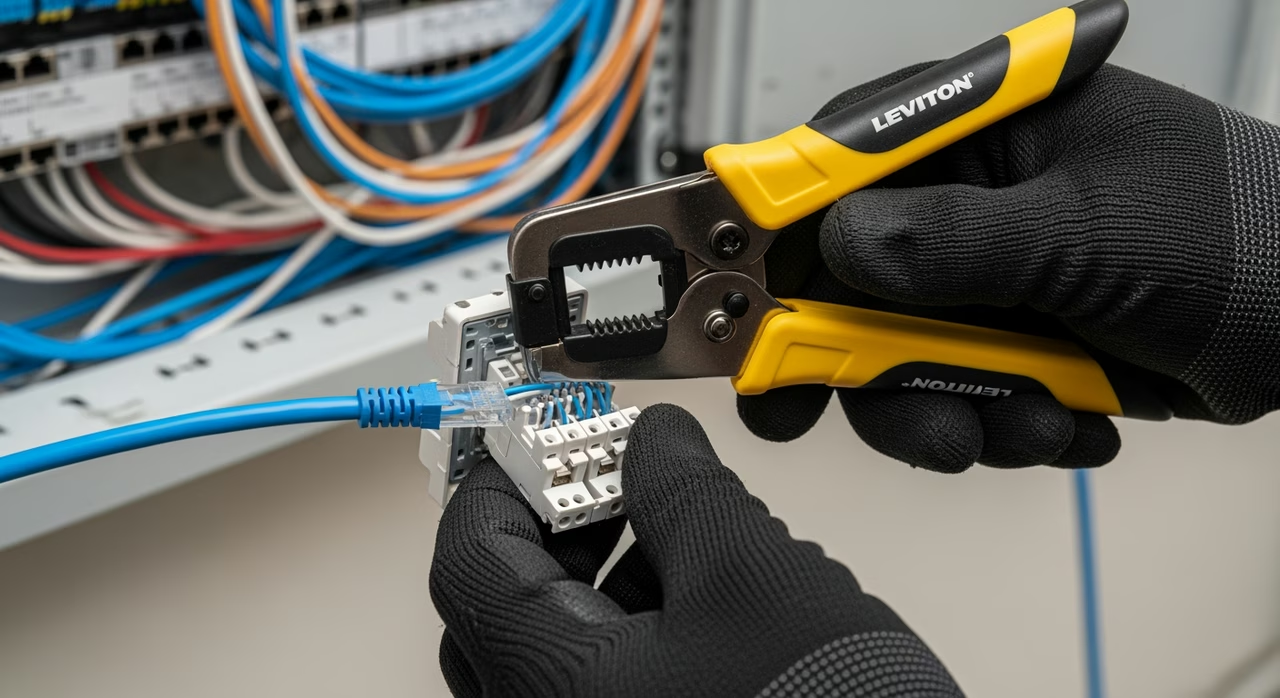
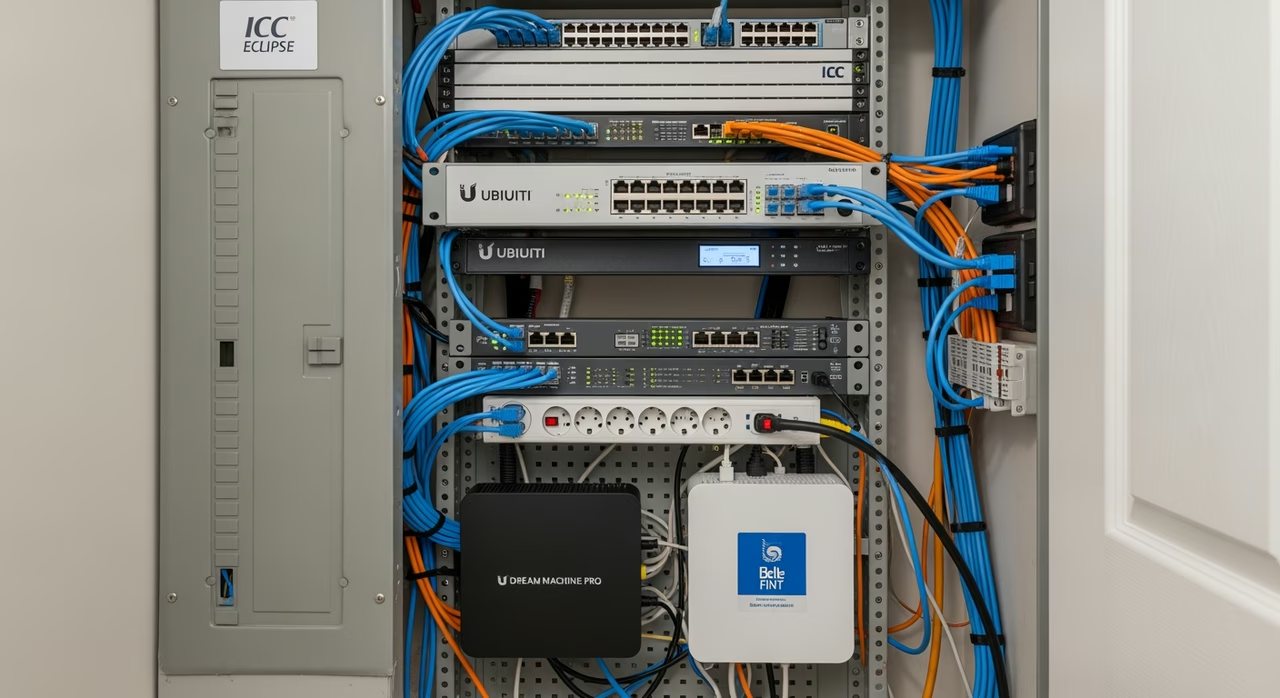
A structured wiring panel (Leviton 49605, ICC Eclipse, OnQ, or similar) is wall-mounted in a basement utility closet or main-floor utility room. All Cat6a cables home-run to the panel and terminate on Cat6a keystones or a 24-port patch panel. Inside the panel: a 24-port managed switch (Ubiquiti UniFi Pro 24, Netgear MS510TX), the home's router (Eero Pro 6E, Ubiquiti Dream Machine, ASUS ZenWiFi BT10), modem from the ISP (Bell Home Hub or Rogers Ignite), PoE+ injector or PoE switch for cameras and access points, surge protection and structured power. The panel is the upgrade point — when Wi-Fi 8 arrives in 5 years, you replace the access points; when 10 Gigabit Internet arrives, you replace the switch. The Cat6a cabling itself is rated for 10 Gigabit Ethernet over 100m and lasts 15–25 years.
Equipment selection — Wi-Fi mesh systems we install
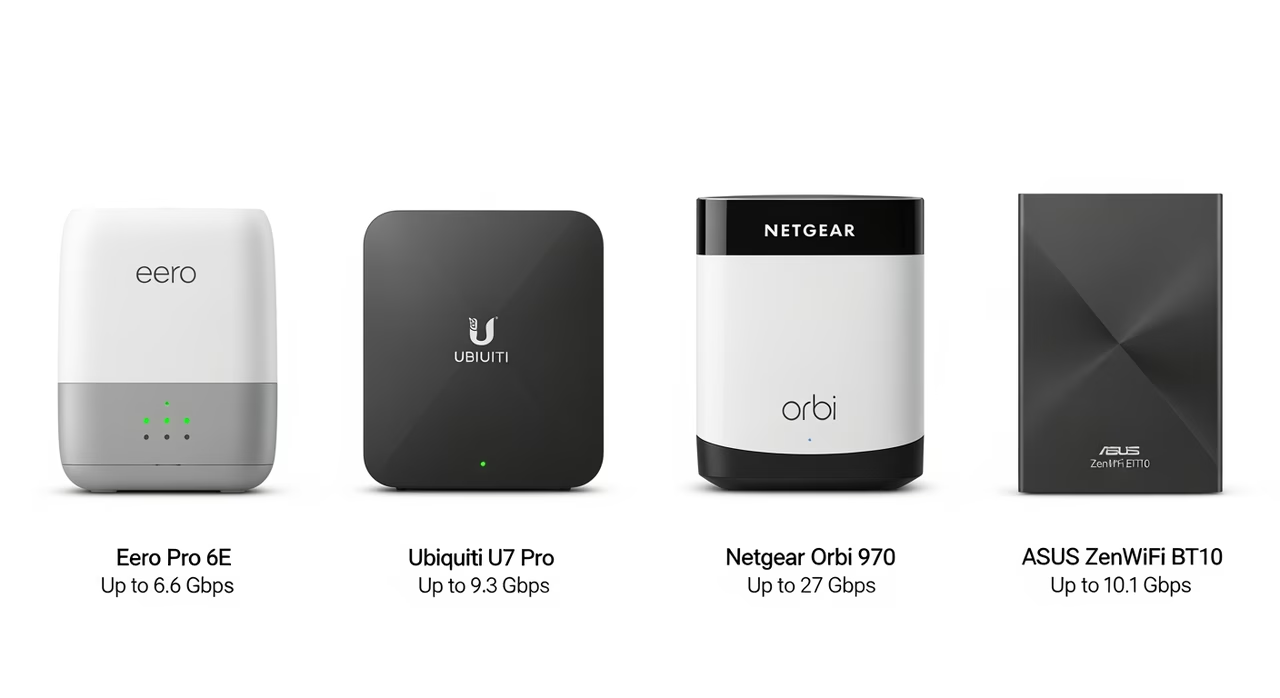
Ubiquiti UniFi (UniFi 6 Pro AP / UniFi 7 Pro AP / UniFi U7-Outdoor) — the technical-user choice. Premium hardware, advanced features, requires controller setup. Eero Pro 6E and Eero Max 7 — the mainstream choice. Tri-band Wi-Fi 6E or Wi-Fi 7, easy mobile-app setup, Amazon-owned. Netgear Orbi 970 — premium tri-band Wi-Fi 7 mesh with dedicated 10 Gbps backhaul. Strong coverage for larger 3,500+ sqft homes. ASUS ZenWiFi BT10 — Wi-Fi 7 with strong gaming/QoS features. We specify based on home size, ISP plan, smart-home integration, and homeowner technical comfort. Most installs are Eero Pro 6E or UniFi U7 Pro for 1,500–3,500 sqft homes.
Project value
Small condo or 1,200–1,500 sqft home (Cat6a to 4–6 rooms, single Wi-Fi mesh node, basic structured panel): $3,500–$5,500. Standard 1,500–2,500 sqft home (Cat6a to 8–12 rooms, 3-node Wi-Fi mesh, full structured panel, PoE switch, 2–4 cameras): $5,500–$9,500. Larger 2,500–3,500 sqft home (Cat6a to 12–18 rooms, 4–6 node Wi-Fi mesh, premium structured panel, PoE+ switch, 4–8 cameras, smart-home hub integration): $9,500–$15,000. Premium custom (whole-home including backyard / garage / ARU, fiber backbone between buildings, NAS storage, full smart-home integration): $12,000–$25,000+. New construction (during framing): typically 30–40% cheaper than retrofit equivalent. Pricing factors: number of cable runs (each Cat6a run $150–$300 retrofit, $80–$150 new construction), structured panel tier, Wi-Fi system tier, smart-home integration complexity, ISP handoff coordination.
Toronto-specific considerations
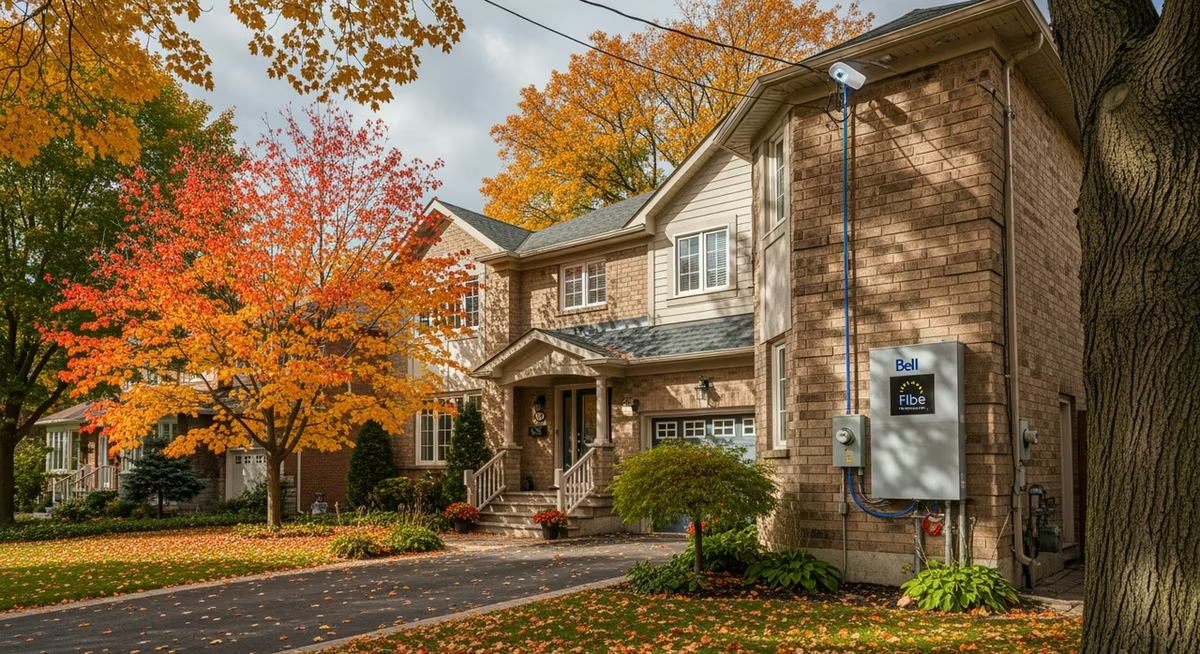
ISP coverage is uneven: Bell Fibe (FTTH gigabit/multi-gigabit) is rolled out in much of central Toronto, North York, Etobicoke; Rogers Ignite Fibre is concentrated in newer condo zones; many Toronto neighbourhoods still have only DOCSIS 3.1 cable Internet (Rogers/Cogeco). When fiber is available, the ISP installs a fiber drop and ONT (optical network terminal) to a wall plate or to the structured panel — RenoHouse coordinates the handoff and patches into the home's network. Condo Wi-Fi mesh is challenging — concrete floor plates and multiple competing 2.4/5/6 GHz networks from neighbours create interference; we typically recommend 1–2 access points per condo unit, hardwired to a structured panel near the unit's modem. Older Toronto stock (pre-1980 detached and Edwardian) often has plaster walls — fishing Cat6a cable is more difficult; we use telescoping fish rods and basement-up routes where possible. New builds in Etobicoke, North York, Vaughan, Markham frequently include structured wiring at framing stage as a builder option — much cheaper than retrofit.
Honest scope and licensing
Low-voltage cabling (Cat6a, coax, fiber) is NOT regulated under the Ontario Electrical Safety Code in the same way as 120V/240V wiring — no ESA permit is typically required for Cat6a and PoE work. RenoHouse self-performs all low-voltage cabling, structured panel installation, and access-point mounting. For any 120V tie-ins (e.g., dedicated outlet for the structured panel, new outlet for an access point) we coordinate Master Electrician (ECRA/ESA-licensed partner) and pull an ESA permit for that portion. Surveillance camera systems with 120V transformers and outdoor access points with weather-rated 120V whips also require Master Electrician scope. Network configuration (router setup, Wi-Fi SSID, access controls, mesh roaming, smart-home device integration) is RenoHouse self-performed by trained network technicians. We provide homeowner training at handover and 30 days of remote support to dial in the network.
Pairing with renovation work
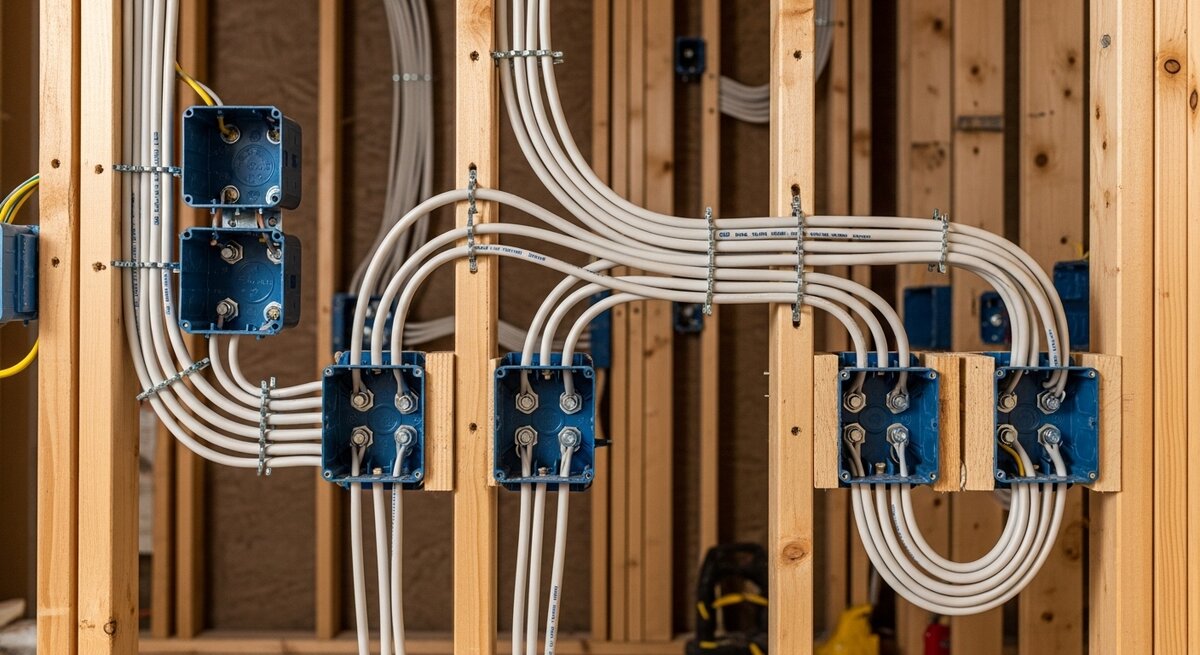
Whole-home networking is dramatically cheaper when paired with renovation — every Cat6a cable run during framing costs $80–$150 vs. $150–$300 retrofit. Best timing: kitchen renovation (Cat6a to TV/computer locations during drywall), basement finishing (Cat6a from basement utility closet to all main-floor rooms), full-home renovation (whole-home structured wiring installed before drywall), addition or new build (structured wiring at framing stage). We coordinate network design with the renovation drawings and run cabling in parallel with electrical rough-in.
Serving Toronto, Mississauga, Brampton, Vaughan, Markham, Richmond Hill, Oakville, Burlington, Etobicoke, Scarborough, North York, and all GTA communities. Call 289-212-2345 for a free home-networking consultation.

Service detail and neighbourhood context for Toronto and the GTA.
Toronto/GTA neighborhood considerations
- Forest Hill / Rosedale / Lawrence Park (heritage 1920s+): Heritage — Cat6 / Cat6A horizontal-cable through plaster-lath via fish-tape + selective wall-open. Lead-paint Reg 90/2024 + selective lath-disturbance. WiFi-7 mesh (eero, Orbi, ASUS ZenWiFi Pro, Ubiquiti AmpliFi). $4,800-$14K.
- North York / Scarborough / Etobicoke (post-war 1950s-70s): Post-war — wall-fish through 2x4 stud + plaster-and-lath. Cat6 + WiFi-6E mesh. $2,400-$5,800.
- Mississauga / Brampton / Vaughan (1990s+ subdivisions): 1990s+ — easier wall-fish through drywall + stud-bay. Cat6 + WiFi-7 mesh. $1,800-$4,800.
- Caledon / King City / Aurora (rural / well water / large lot): Rural — long cable-run (50-100m) requires Cat6A + MoCA 2.5 over coax + outdoor-access-point (Ubiquiti AC-Mesh, Ruckus 7782). $4,800-$14K.
- Downtown condos (King West / Liberty Village / Yorkville): Condo — Form 1 + slab + concrete-wall scope. WiFi-7 access-point + minimal cabling. $1,400-$3,400.
TIA-568 Cat6/6A spec. TIA-942 datacenter low-voltage. ECRA/ESA license NOT typically required for <30VDC structured-cable (Class 2 / Class 3). WiFi-7 (802.11be 6GHz) + WiFi-6E mesh standard.
The RenoHouse Difference
11+ Years Experience
Over a decade of expertise in whole-home networking. We've seen it all and know how to handle any challenge.
Warranty Protected
All work comes with comprehensive warranty coverage. We stand behind our craftsmanship and use quality materials that last.
Competitive Rates
Fair pricing on whole-home networking without compromising quality. We match or beat competitor quotes.
Sound Familiar?
These are the most common problems our clients face.
Wi-Fi dead zones in the back bedrooms and basement of your 2,500 sqft home?
Working from home and Zoom calls drop every time someone streams Netflix?
Want Cat6a Ethernet to every room before drywall during a renovation?
Confused about Eero Pro 6E vs Ubiquiti UniFi vs Netgear Orbi 970 mesh systems?
Bell Fibe just installed a fiber drop and need it patched into a structured wiring panel?
Want PoE+ cameras and access points without separate power outlets at every location?
Ready to get started?
Free estimate, no obligation. We respond within 1 hour.
What Our Clients Say
“RenoHouse replaced all our windows in just two days. The new windows are beautiful, energy-efficient, and the team left everything spotless. Highly recommend!”

Michael R.
Oakville
“New windows transformed our home. Quieter, warmer, and our energy bill dropped noticeably. Excellent installation crew.”

David K.
Vaughan
“Professional from start to finish. They replaced 8 windows in one day and cleaned up perfectly. Highly recommend RenoHouse!”

Sandra W.
Burlington
Our Whole-Home Networking Work
Professional whole-home networking results from RenoHouse projects across the Toronto GTA.
Whole-Home Networking
Toronto GTA
Quality Workmanship
Licensed & Insured
Like what you see? Let's talk about your project.
🧮 Whole-Home Networking & Structured Wiring — Cost Estimator
GTA / Ontario — 2026 market pricing
⚙️ Add-ons & Options
📊 Where the cost goes (typical breakdown)
📋 What affects your price:
💡 Estimates use 2026 GTA/Ontario market data. Actual cost depends on site conditions, material selections, and project scope. Book a free in-home quote for a precise number.
Frequently Asked Questions About Whole-Home Networking
Small condo or 1,200–1,500 sqft home (Cat6a to 4–6 rooms, single Wi-Fi mesh node, basic structured panel): $3,500–$5,500. Standard 1,500–2,500 sqft home (Cat6a to 8–12 rooms, 3-node mesh, full panel, PoE switch, 2–4 cameras): $5,500–$9,500. Larger 2,500–3,500 sqft home (Cat6a to 12–18 rooms, 4–6 node mesh, premium panel, 4–8 cameras): $9,500–$15,000. Premium custom (whole-home including backyard/garage/ARU, fiber backbone, NAS, full smart-home integration): $12,000–$25,000+. New construction during framing: 30–40% cheaper than retrofit.
Wi-Fi alone is compromised in larger Toronto homes — drywall, plaster, brick interior walls, multi-storey separation, and Wi-Fi 7's 6 GHz band's reduced penetration mean even premium mesh systems struggle for true edge-to-edge coverage without wired backhaul. The 2026 best-practice is hybrid: Cat6a Ethernet to every room AND Wi-Fi 7 mesh nodes using the Cat6a as wired backhaul. This delivers gigabit-plus wired capability where it matters (TVs, gaming, NAS, WFH machines), Wi-Fi mesh roaming with no dead zones, and PoE+ for cameras and access points without separate power runs.
Ubiquiti UniFi (U7 Pro AP / U6 Pro AP) — technical-user choice, premium hardware, advanced features, requires controller. Eero Pro 6E and Eero Max 7 — mainstream choice, easy mobile-app setup, Amazon-owned. Netgear Orbi 970 — premium tri-band Wi-Fi 7 with 10 Gbps backhaul, best for 3,500+ sqft. ASUS ZenWiFi BT10 — Wi-Fi 7 with gaming/QoS focus. We specify based on home size, ISP plan, smart-home needs, and technical comfort. Most installs use Eero Pro 6E or UniFi U7 Pro for 1,500–3,500 sqft homes.
Wall-mounted enclosure (Leviton 49605, ICC Eclipse, OnQ, or similar) in a basement utility closet or main-floor utility room. All Cat6a cables home-run to the panel and terminate on Cat6a keystones or a 24-port patch panel. Inside: 24-port managed switch (Ubiquiti UniFi Pro 24, Netgear MS510TX), router (Eero, UniFi Dream Machine, ASUS), ISP modem, PoE+ injector or PoE switch, surge protection, structured power. The panel is the upgrade point — when Wi-Fi 8 arrives, you replace access points; when 10 GbE Internet arrives, you replace the switch. Cat6a cabling lasts 15–25 years and is rated for 10 GbE over 100m.
No — low-voltage cabling (Cat6a, coax, fiber) is NOT regulated under the Ontario Electrical Safety Code in the same way as 120V/240V wiring. No ESA permit is typically required for Cat6a, PoE, and low-voltage AV work. RenoHouse self-performs all low-voltage cabling, structured panel installation, and access-point mounting. For any 120V tie-ins (e.g., dedicated outlet for the structured panel, outdoor camera with 120V whip, dedicated AP power) we coordinate Master Electrician (ECRA/ESA-licensed partner) and pull an ESA permit for that portion. Most projects need only a single 120V tie-in for the structured panel — minor scope.
Yes. When fiber is available (Bell Fibe FTTH widely deployed in central Toronto, Etobicoke, North York; Rogers Ignite Fibre in newer condo zones), the ISP installs a fiber drop and ONT (optical network terminal) to a wall plate or to the structured panel. RenoHouse coordinates the ISP handoff appointment with Bell or Rogers, patches the ONT into the home's network at the structured panel, configures the home's router behind the ONT (bridge mode or double-NAT depending on configuration), and verifies gigabit/multi-gigabit speed at every Cat6a wall plate.
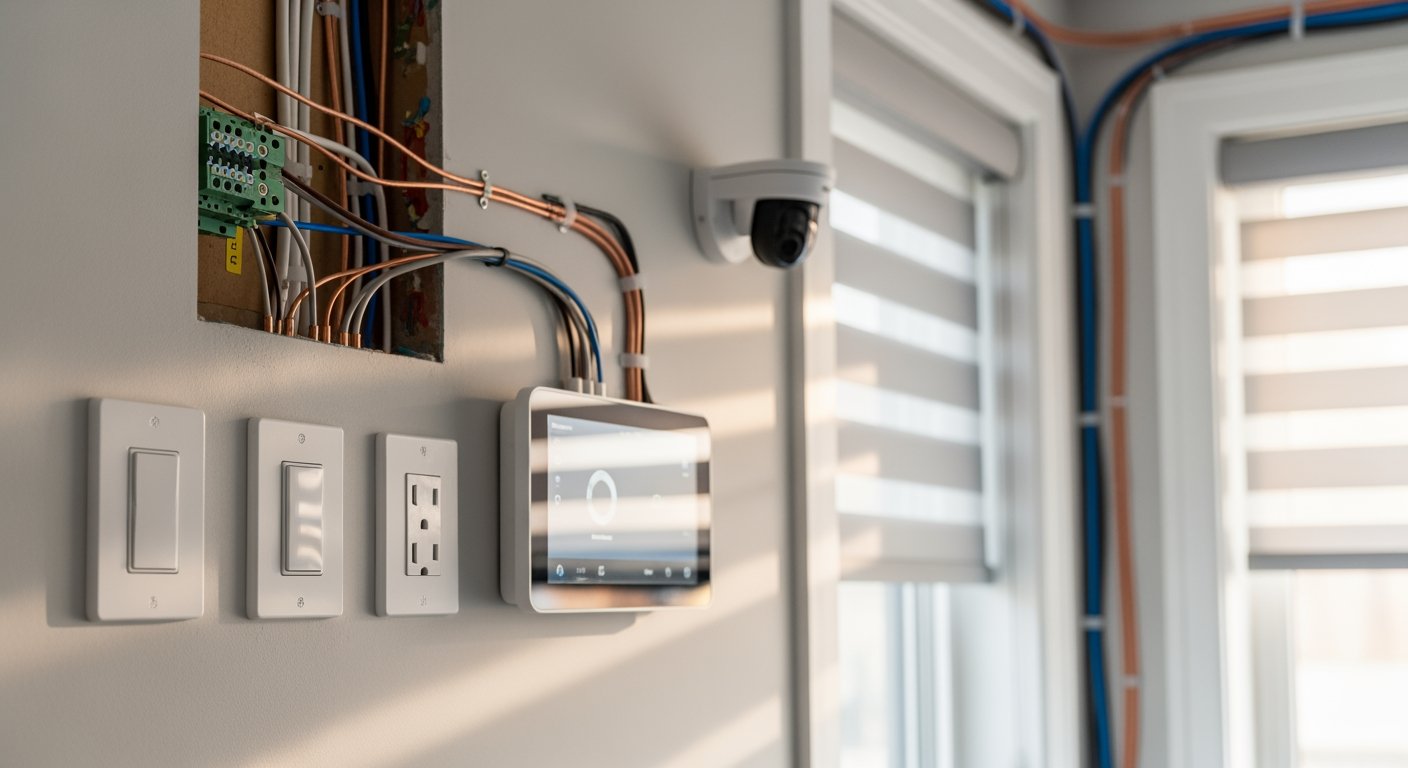
We integrate CCTV (Ubiquiti UniFi Protect, Reolink, Hikvision, Lorex), Ring doorbells and cameras, and Nest cameras into the structured wiring system. PoE+ cameras (Ubiquiti, Reolink, Hikvision) get power and data over a single Cat6a run from the PoE switch in the structured panel — no separate power outlet needed at the camera. Ring and Nest are typically Wi-Fi but can also be hardwired with Cat6a where available. Recording: cloud subscription (Ring/Nest Aware), local NVR (UniFi Protect, Reolink NVR, Lorex DVR), or NAS-based (Synology Surveillance Station). Configuration and homeowner training included.
Strongly during a renovation. Cat6a cable run during framing: $80–$150 per drop. Same cable retrofit through finished walls: $150–$300 per drop — and 2–3x slower. Best timing: kitchen renovation (Cat6a to TV/computer locations during drywall), basement finishing (Cat6a from utility closet to main-floor rooms), full-home renovation (structured wiring before drywall), addition or new build (during framing stage). New construction with structured wiring is 30–40% cheaper than retrofit equivalent.
Low-voltage cabling follows OBC and Canadian Electrical Code Section 60 best practices but does not require ESA permit or inspection. We use plenum-rated cable in shared HVAC spaces, riser-rated cable in vertical chases, fire-stopping at floor and ceiling penetrations per OBC, and CSA-approved structured cabling components. For any 120V tie-ins, ESA permit is pulled by our Master Electrician partner and inspected by ESA. Surveillance camera 120V whips and structured-panel power outlets are the typical 120V scope.
Yes. Homeowner training at install completion (router app, Wi-Fi SSID, guest network, mesh roaming, security camera app, smart-home integration). 30 days of remote support included to dial in the network — answer questions, adjust Wi-Fi channels, troubleshoot device pairing. Beyond 30 days we offer optional remote support packages or hourly support visits. We also provide network documentation (cable map, panel layout, IP addresses, login credentials) for future reference and any other tech who works on the network.
You Might Also Need
Customers who looked at whole-home networking also asked us about these complementary services.


We Serve All GTA
Professional whole-home networking services available across the Greater Toronto Area.
“Upgraded our panel from 100 to 200 amps and installed 12 pot lights throughout the main floor. Everything passed ESA inspection first time.”
— Sarah K., Vaughan
Get a Free Whole-Home Networking Estimate
Contact us today for a free, no-obligation quote for your whole-home networking project in Toronto GTA. We'll get back to you within 1 hour.