RenoHouse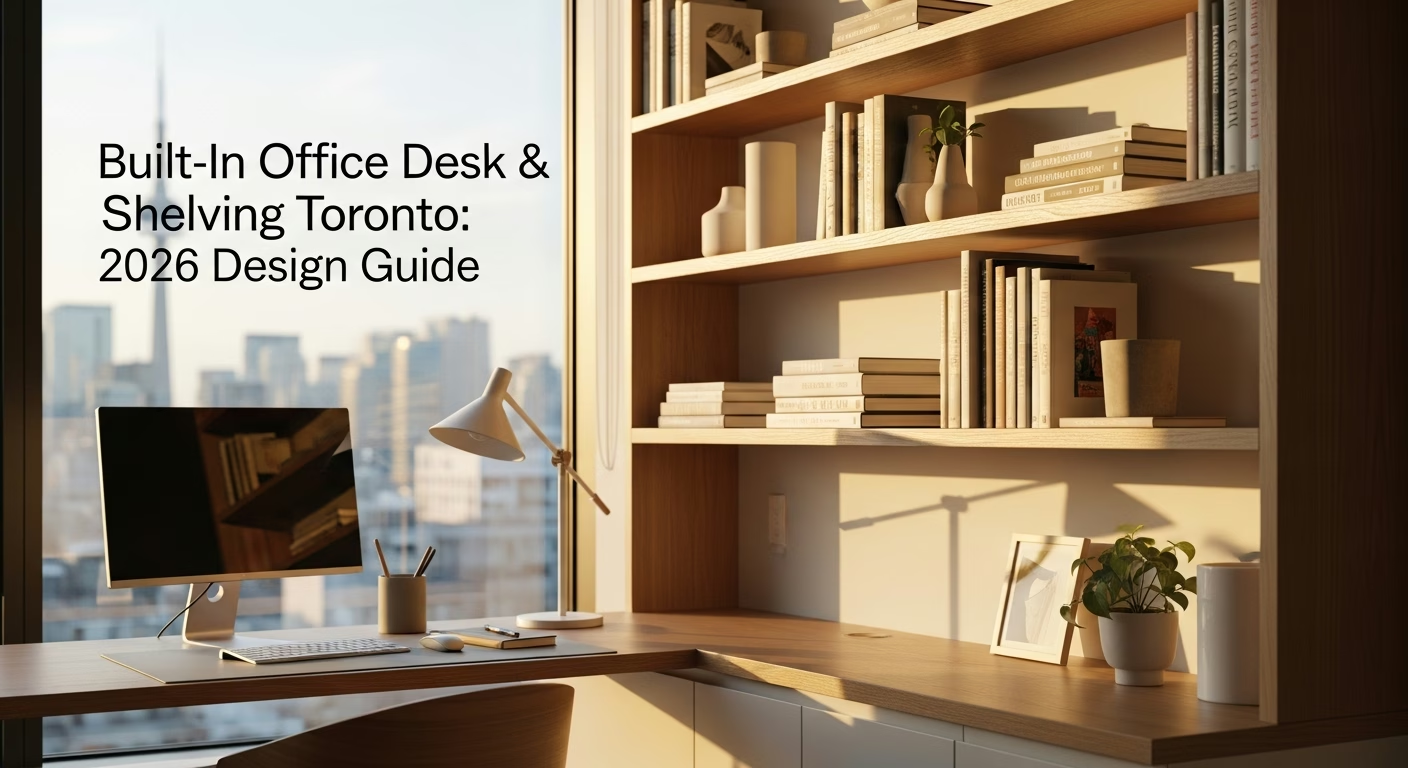

# Built-In Office Desk & Shelving Toronto: 2026 Design Guide
Quick answer. A built-in home office combines a fixed desk surface with overhead and lateral shelving, integrated cable management, and (often) closed cabinet storage for printers and supplies. In 2026, a typical Toronto built-in office runs $5,500–$15,000 depending on width, materials, and whether it is a single-person or two-person layout.A built-in home office combines a fixed desk surface with overhead and lateral shelving, integrated cable management, and (often) closed cabinet storage for printers and supplies. In 2026, a typical Toronto built-in office runs $5,500–$15,000 depending on width, materials, and whether it is a single-person or two-person layout. This guide covers dimensions, cable management, ergonomic notes, and configurations for Toronto dens, basements, and spare bedrooms. For the broader category, see Built-Ins & Millwork Toronto: Complete 2026 Guide.
Standard Dimensions
- Desk height: 29"–30" finished surface (standard seated desk height).
- Desk depth: 24"–30" (24" is minimum for a laptop and external monitor; 30" is comfortable for dual monitors).
- Desk width per person: 60"–72" (60" is functional minimum; 72"+ is comfortable).
- Knee clearance: 26"–28" floor-to-underside-of-desk minimum.
- Overhead shelf clearance: 18"–24" above the desk surface (allows for monitor and lamp).
Single-Person vs Two-Person Layouts
Single-Person
A single 60"–72" desk wall in a den, spare bedroom, or basement nook. Includes the desk, two or three overhead shelves, and a base file cabinet or drawer pedestal. Total wall width typically 6'–8'. Cost $5,500–$11,000.
Two-Person Side-by-Side
A 120"–144" wall with two desk stations side by side. Centre divider can be open shelving or a fixed pedestal. Common in 1990s+ detached homes with dedicated home-office rooms. Cost $9,500–$15,500.
Two-Person Facing
Two desks back to back in the centre of a room (not built-in to a wall) is rare in Toronto built-in projects because it loses the wall-anchored advantage. Where it is done, the desks share a cable management trough in the centre.
Cable Management
Three approaches:
Need professional home renovation?
Call RenoHouse at 289-212-2345 or get a free estimate today.
Get Free Estimate →- 1. Grommets in desk surface — 2" or 3" round grommets cut through the desktop, with cables routed under the desk to a power bar. Standard on Tier 2 projects. Adds $40–$80 per grommet.
- 2. In-wall conduit — a wall outlet placed at desk height, with low-voltage cables (HDMI, USB-C) running through a short in-wall conduit. Cleaner look. Requires electrician.
- 3. Wire trough under desk — a continuous wire trough mounted to the underside of the desk, hiding all cables and the power bar. Best for two-person layouts.
Ergonomic Notes
- Monitor height: top of screen at eye level when seated. Most external monitors require a 4"–6" riser to achieve this on a 30" desk.
- Keyboard tray: optional, mounted to desk underside. Adds $200–$400 with hardware.
- Standing desk: a fixed-height built-in cannot become a sit-stand desk. For sit-stand, build the millwork around a free-standing motorized desk.
- Lighting: under-shelf LED strip or task lamp. The desk surface should not be lit only by the overhead shelves; a task light at monitor level is preferred.
Materials
Tier 2 (the dominant choice) uses:
- 3/4" plywood cabinet boxes.
- MDF or hardwood desk surface.
- MDF or hardwood face frames and doors.
- Painted or stained finish.
- Blum soft-close hardware.
Desk surface material matters: MDF is fine for painted desks but dents easily under heavy laptops. Hardwood (white oak, maple) is more durable and looks better in stained-finish projects. Quartz or solid-surface tops are an upgrade option ($800–$2,200 added).
Pricing Tiers
| Tier | Price Range (CAD) | Includes |
|---|---|---|
| Tier 1: IKEA Besta + plywood top | $2,500–$5,000 | Single desk, painted top |
| Tier 2: Local shop, painted | $6,500–$11,000 | Single desk, plywood box, MDF doors |
| Tier 3: Local shop, hardwood | $11,000–$16,500 | Hardwood, two-person possible |
| Tier 4: Premium custom | $16,000–$28,000+ | Two-person, premium materials |
Storage Configuration
Three common layouts:
- Open shelving above, file pedestal below — most flexible, easiest to access.
- Closed cabinets above, file pedestal below — hides clutter, professional video-call backdrop.
- Mixed: closed cabinet on one side, open shelves on the other — balances function and display.
Toronto Den / Spare Bedroom Considerations
Most 2026 Toronto built-in office projects are in a den or converted spare bedroom. Common dimensions:
- King West / CityPlace condo den: typical 6'x8' to 7'x10'. A single-person desk wall fits along the long wall.
- Yorkville / Annex two-bedroom: spare bedroom is typically 9'x10' to 10'x12'. Single or two-person layout possible.
- North York / Etobicoke detached spare bedroom: typical 10'x10' to 12'x14'. Two-person side-by-side common.
Outlet Requirements
A built-in office wall typically needs:
- One 15A receptacle at desk height (36"–42" from floor) for monitor and laptop charger.
- One 15A receptacle at floor level for printer and surge protector.
- Optional: dedicated 20A circuit for high-draw equipment (large monitor, laser printer).
Outlet additions or relocations require an ESA permit and a licensed electrician. Typical cost $250–$450 per outlet.
Common Mistakes
Three failures common in Toronto built-in office projects:
- 1. Desk surface too narrow — 20" is too shallow for a monitor plus keyboard. Use 24" minimum.
- 2. No cable grommets in desk surface — cables draped over the back edge look messy and pull the monitor.
- 3. Overhead shelves too low — 16" clearance above desk is too tight; use 18"–24".
See Built-Ins Installation Mistakes Toronto.
Related Reading
Built-In Bookshelves Living Room Toronto, Built-In TV Wall Units Toronto Design.Ready to Plan Your Home Office?
RenoHouse designs and installs built-in home offices across the GTA. Visit our Built-Ins & Millwork Service Page to start.
Sources & References
Authoritative sources cited in this guide:
- Ontario Building Code — OBC official text
- Toronto Building Permits — City permit portal
- Tarion New Home Warranty — Ontario new-build warranty regulator
- HCRA — Home Construction Regulatory Authority — Ontario builder/vendor licensing
Continue Reading